Author Archives: itdoctor - Page 40
Ubuntu: How to get the hard disk serial number?
Just imagine, you manage a server remotely. The server has many disks, one day one of the disk could be failure. How can you tell the onsite engineer which...
How to check if my SSL certificate is SHA2 ?
Simply run this command, replace with your actual certificate file: $ openssl x509 -noout -text -in Certificate: Data: Version: 3 (0x2) Serial Number: .. Signature Algorithm: sha256WithRSAEncryption...
How to check if my CSR is SHA2 ?
It’s simple, just run this command $ openssl req -noout -text -in | grep 'Signature Algorithm' Signature Algorithm: sha256WithRSAEncryption If the value is sha256WithRSAEncryption, the certificate is using...
Microsoft Powerpoint Slide Page Number not displayed
Today, i just had interesting case, a client came to me and asked me why she could not insert page number into her powerpoint slide. Well, i thought it...
Port forwarding for windows filesharing & samba
You need to setup port forwarding for 3 ports : 135-139 for windows , 445 for samba in Linux.
How to set/check my DNS setting on Debian/Ubuntu Linux System?
The DNS server setting for Ubuntu is located on / $ cat / # Dynamic (5) file for glibc resolver(3) generated by resolvconf(8) # DO NOT EDIT THIS FILE...
Windows 2003 & 3TB disk and above
Windows 2003 seems working fine with disk over 2TB, but that’s not entirely right. I had several incidents when using 3TB disk on windows 2003 server. Everything seems working...
Apache: How to force download a file using .htaccess ?
I have some videos that i want other people to download it instead of playing it on the browsers. First, i just try to upload that file to my...
How to create SSL Certificate Request – CSR ?
Login to your Ubuntu, and run the following command: openssl req -nodes -newkey rsa:2048 -sha256 -keyout -out It then will ask you some information for the certificate,...
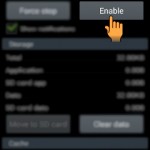
How to fix error message, “Unfortunately, the process com.google.process.gapps has stopped.”
When you encounter this error message on your Samsung or any Android device: “Unfortunately, the process has #8221;. This could be that your Download Manager was disabled. Try...