Archives for General
My AZ-104 Azure Administrator Associate Journey: From Real-World Experience to Exam Day
I’ve been working with Azure on a day-to-day basis for the past five years. I never took any official courses—everything I learned came from real client requirements and hands-on...
How to Monitor An Azure App Service Protected by EasyAuth
If you want to provide authentication for your App Service without writing a single line of code, you can turn on the Authentication in App Service configuration. When you...
Oil Pressure Switch (Normal Closed or Normal Open)
The Oil Pressure Switch is designed to detect any issues with your car’s oil system. Many online videos and posts only show one type of switch—the normally closed (NC)...
A simple cronjobs to restart your apache server when it’s too busy
#!/bin/bash# URL of Apache server-statusSTATUS_URL="http://localhost/server-status?auto"# Get current number of busy workersHTML_STATUS_FILE="/"curl -s "$STATUS_URL" > "$HTML_STATUS_FILE"BUSY_WORKERS=$(cat "$HTML_STATUS_FILE" | grep "BusyWorkers" | awk '{print $2}')# Restart Apache if busy workers exceed...
n8n webserver failed, exiting
Initializing n8n process n8n webserver failed, exiting The fix is to add this line -e N8N_LISTEN_ADDRESS= In my case, the problem was that IPv6 was disabled in my kernel....
Azure: Krusto Query : mv-expand limit
It’s a note that mv-expand will only return the first 128 rows only. it doesn’t give you any warning. To fix this, add limit to your query – the...
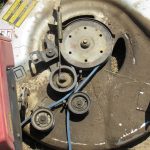
Honda H3011 Deck Belt
I recently picked up a Honda H3001 riding mower that was being sold for parts. I’ve been bringing it back to life one problem at a time, and so...
A simple cronjob to monitor and start your apache
*/10 * * * * curl -s http://localhost || (echo “Restarting apache” ; apachectl restart)